Betninja UK Guide
Mobile guide
Betninja Mobile Casino and App for UK Readers
 Available in GB
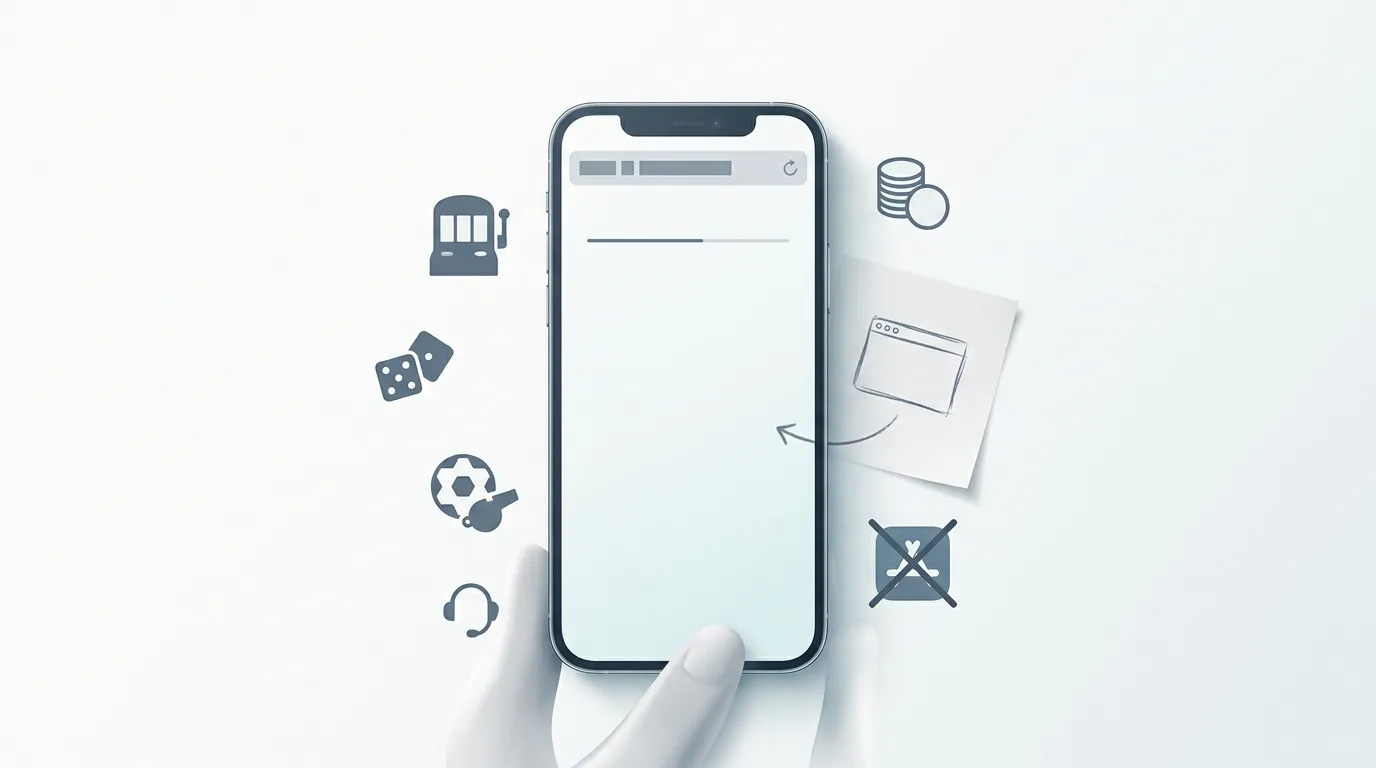
The direct answer first: Betninja does not currently offer a dedicated iOS app or a dedicated Android app. Mobile access is browser-based, which means UK readers should use Safari, Chrome or another trusted mobile browser rather than searching for an app-store download or an APK file. Betninja runs through mobile browsers on iOS and Android, and the mobile route is the right way to evaluate the casino, sportsbook, cashier and support flow on a phone. Start with the main review for the brand verdict; this guide covers what browser-first mobile means in practice, the iPhone and Android checklists, and the app-search risks to avoid.
Learn more about betninja on our main page.
- Is there a Betninja app? Quick answer
- What the browser answer means in practice
- iPhone and iPad browser checklist
- Android browser checklist without APK risk
- Casino games on mobile browser
- Sportsbook use on a phone
- Live casino on mobile
- Mobile cashier and payment checks
- Support on mobile
- Mobile security checklist
- Who the mobile version fits
- Licence context for mobile users
- UK support routes
- Bottom line on Betninja mobile
Is there a Betninja app? Quick answer
| Question | Direct answer | What to do |
|---|---|---|
| iOS app | No dedicated iOS casino app currently part of the product profile. | Use Safari or another trusted iPhone browser. |
| Android app | No dedicated Android casino app currently part of the product profile. | Use Chrome or another trusted Android browser. |
| Mobile casino | Betninja runs through mobile browsers on iOS and Android. | Test login, game loading, cashier display and support before depositing. |
| APK downloads | No official Betninja casino APK route is documented. | Avoid third-party APK sites and similarly named app listings. |
What the browser answer means in practice
Searches for a Betninja app can return a confusing mix of casino pages, sports-prediction apps, app-store listings with similar names and unofficial download pages. That is a real risk because the presence of an app with a similar title in any store is not proof it belongs to Betninja Casino — multiple unrelated products use similar branding, and counterfeit listings turn up regularly at most operators. A casino account contains personal details, payment activity and KYC material, so the route used to access it matters.
Browser play does not weaken the mobile product by default. It does not require an installation, it updates automatically with the website, and it keeps the same account route across desktop and phone — useful when verification or cashier checks need to move between devices. The trade-off is that the live site has to be judged on the user’s own device rather than via app-store reviews, push notifications or native biometric login claims. That is generally a fair trade: app-store reviews are not a reliable signal of operator quality, and biometric login can be replicated through browser-level passkeys on modern phones.
iPhone and iPad browser checklist
On iOS, use a trusted browser — Safari is the default and works well; Chrome and Firefox on iOS are also reasonable — and type the official Betninja domain directly into the address bar rather than searching for download links. After the page opens, check that the sign-in area, navigation, cashier and support routes are readable without zooming. If you use private browsing or aggressive content blockers, test whether the cashier and live chat still load correctly before any deposit decision.
For a cleaner repeat visit, save a browser shortcut to the home screen if your browser supports it. Treat that shortcut as a bookmark, not as a native casino app — it carries no app-store vetting, no native iOS payment integration, no Face ID login at the operating-system level and no push-notification offers. The account and registration flow still needs the same checks covered in the account setup guide.
One practical iPhone tip for active sessions: turn off content blockers temporarily if the cashier or live-game screen renders incompletely. Some aggressive blockers strip the scripts needed for stake controls or live-streaming, which can look like an operator problem when it is actually a browser configuration issue.
Android browser checklist without APK risk
On Android, Chrome is the default and renders the Betninja site cleanly; Samsung Internet and Firefox on Android are also workable. Type the domain into the browser address bar rather than relying on search results, which can occasionally promote look-alike domains or ad-based redirects.
Do not install Betninja-branded APK files from third-party download sites. A casino APK that is not delivered through an official store carries unknown code-signing provenance and can include credential-capture or fund-redirect components regardless of how the host page presents itself. Even when the file is harmless, the installation process bypasses Play Protect checks that catch most malicious mobile-gambling apps. Browser play, by contrast, runs inside Android’s standard sandbox and benefits from the browser’s anti-phishing protections.
If a search engine surfaces a “Betninja APK download” page, it is not a route worth taking. The same browser session that loads the page can load the official site for the same casino experience without the installation risk.
Casino games on mobile browser
Most modern slots render cleanly on a phone screen — the providers in the Betninja lobby (Pragmatic Play, Play’n GO, Hacksaw Gaming, Relax Gaming, Games Global and others) produce mobile-optimised builds by default, and the wider lobby is built to scale across portrait and landscape orientations. The games and providers page covers the casino library; the mobile experience differs from desktop mostly in screen real estate rather than in the games themselves.
Three practical checks before a real-money mobile session. First, load the lobby on the same connection you plan to use — Wi-Fi at home, mobile data on the move — and test load times on three slots. Second, check that the in-game rules panel renders cleanly on the phone; a slot panel that is cut off on mobile is a friction signal for that title even when the gameplay works. Third, confirm the bet controls remain readable in landscape mode, where most modern slots are designed to be played.
Sportsbook use on a phone
Sports betting on a phone is the dominant pattern in the UK market, and Betninja’s sportsbook runs through the same browser route as the casino. The pre-match flow tends to work cleanly across modern phones; live in-play betting is more demanding because odds update in real time and stake controls need to remain responsive while events happen on-screen.
A short device test before a live betting session is more useful than any marketing description. Load one live event with active in-play odds, check the cash-out control if you plan to use it, and confirm the bet-builder or same-game-parlay flow if those are part of your bet style. The sportsbook page covers the betting product, settlement rules and UK regulatory context that apply regardless of whether the session happens on phone or desktop.
Live casino on mobile
Live dealer games are the most demanding mobile category at any operator. A streamed table needs readable cards, timer, chips, bet history and balance while the video stream plays in the same screen. A connection that handles slots fine can stutter on a live table. The live casino guide covers the dealer-table product side; the mobile-specific recommendation is to load one live table before any session and confirm controls remain readable when chips overlap.
Battery and data are practical considerations on mobile that desktop play does not raise. A long live-casino session can drain phone battery faster than a slot session of the same length, and mobile-data sessions consume meaningfully more than slot play because video is streamed continuously. Plan around that if you are not on Wi-Fi.
Mobile cashier and payment checks
The cashier is the part of the mobile experience that benefits most from a test before depositing. Confirm the deposit method you plan to use renders cleanly on the phone, that the amount input behaves as expected, and that confirmation screens display the correct currency. Public reporting describes EUR and USD as Betninja’s fiat account-currency signals; pound-sterling account-currency support has not been confirmed at the live cashier level. A pound-funded mobile deposit may settle in euros at the account level, which is the same currency context covered on the payments overview.
Mobile wallets (Apple Pay, Google Pay) can appear at some operators’ cashiers; their availability at Betninja for a UK address is a question for the live mobile cashier rather than a public listing. If the mobile-wallet option is important to a deposit decision, test it inside the account before committing larger amounts. The withdrawal guide covers the cash-out direction, and the KYC and verification page covers the documents that need to be ready before a first withdrawal regardless of device.
Support on mobile
Betninja offers 24/7 live chat support plus email at [email protected]. There is no phone support. On mobile, the live chat widget should appear as a clear icon on the casino pages; if it does not, the most common cause is a content blocker stripping the chat script. Disabling blockers for the session is the standard fix.
For documented support exchanges, email is the better channel on mobile too. A reply sent to your email address creates a written record independent of the casino session and remains available if the casino page is closed or the device is restarted. Keep verification-related conversations in email where possible, and use live chat for quick clarifications during play.
Mobile security checklist
- Type the official Betninja domain into the browser address bar; do not search for it.
- Confirm the URL shows the official domain with a valid HTTPS lock icon before entering credentials.
- Use a strong, unique password for the casino account; do not reuse a password from another site.
- Enable two-factor authentication if the operator offers it.
- Do not save the password on a shared device; use a personal device for casino accounts where possible.
- Avoid installing any APK file claiming to be Betninja — there is no documented official APK route.
- Do not upload verification documents through any page that is not clearly part of the official account flow.
- Keep your phone’s operating system and browser updated; most mobile-gambling phishing relies on outdated systems.
- Disable autofill for casino-account fields if you share the device with anyone else.
- If a session seems off — unexpected redirects, unusual prompts, missing buttons — close the browser tab and reopen the official domain in a new session before continuing.
Who the mobile version fits
Browser-based mobile casino play fits some session types more naturally than others. Quick casual slot sessions, mid-pace sportsbook activity, account-management tasks and verification check-ins all work cleanly on a modern phone. Longer live-casino sessions, complex bet-builder construction and intensive cashier work are sometimes more comfortable on a tablet or desktop for screen-size reasons rather than operator-side reasons.
The mobile route also fits readers who want to evaluate the brand without committing to an installation. A browser visit to betninja.com is a no-installation way to see the lobby, test the cashier flow up to the deposit step and decide whether the product fit is right. The games overview covers the lobby breadth that becomes visible on that first browser visit.
Licence context for mobile users
The mobile experience does not change the licence picture. No UK Gambling Commission licence has been confirmed for Betninja on the public register, and that outcome applies equally on phone and desktop. App-store presence — even if a Betninja casino app existed — is not the licence check; app-store vetting checks for malware and policy compliance, not for casino licensing.
For UK readers in particular, this is worth noting because some app-store listings present themselves as evidence of operator legitimacy. They are not. The UKGC business register is the relevant authority for GB-licensed gambling operators; mobile-app questions are a separate, narrower product question. The licence and safety overview covers the wider boundary; the UKGC licence check page covers the register outcome.
UK support routes
If gambling is causing problems, free and confidential help is available. GamCare runs the National Gambling Helpline on 0808 8020 133, open 24 hours a day. BeGambleAware provides information and treatment routes. GAMSTOP self-exclusion covers Great Britain-licensed online operators; deposit limits, time-outs and bank gambling blocks remain useful tools in any case.
Bottom line on Betninja mobile
Betninja’s mobile product is browser-first and app-free: no dedicated iOS casino app, no dedicated Android casino app, no official APK route. Use a trusted mobile browser, test the games and sportsbook you actually want to use, confirm cashier details before depositing, and keep support chat available during account setup. For the wider decision, compare this page with the Betninja UK review, the games page, the sportsbook page, the registration guide, the payments page and the UK FAQ.
You may also find Betninja Deposit Methods for UK Readers interesting.
Created by the ”Betninja” editorial team.